 Github
 Slack
Slack
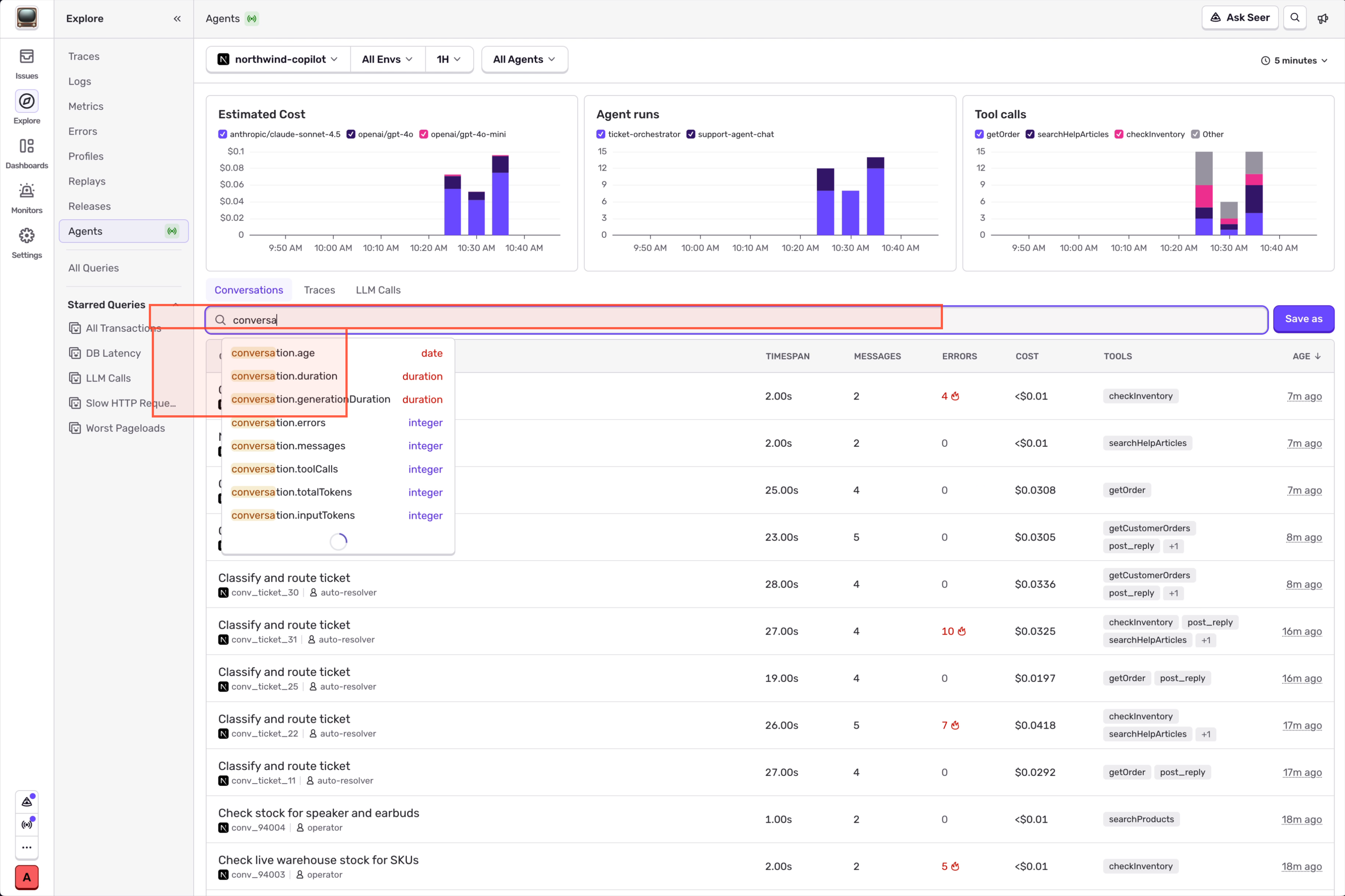
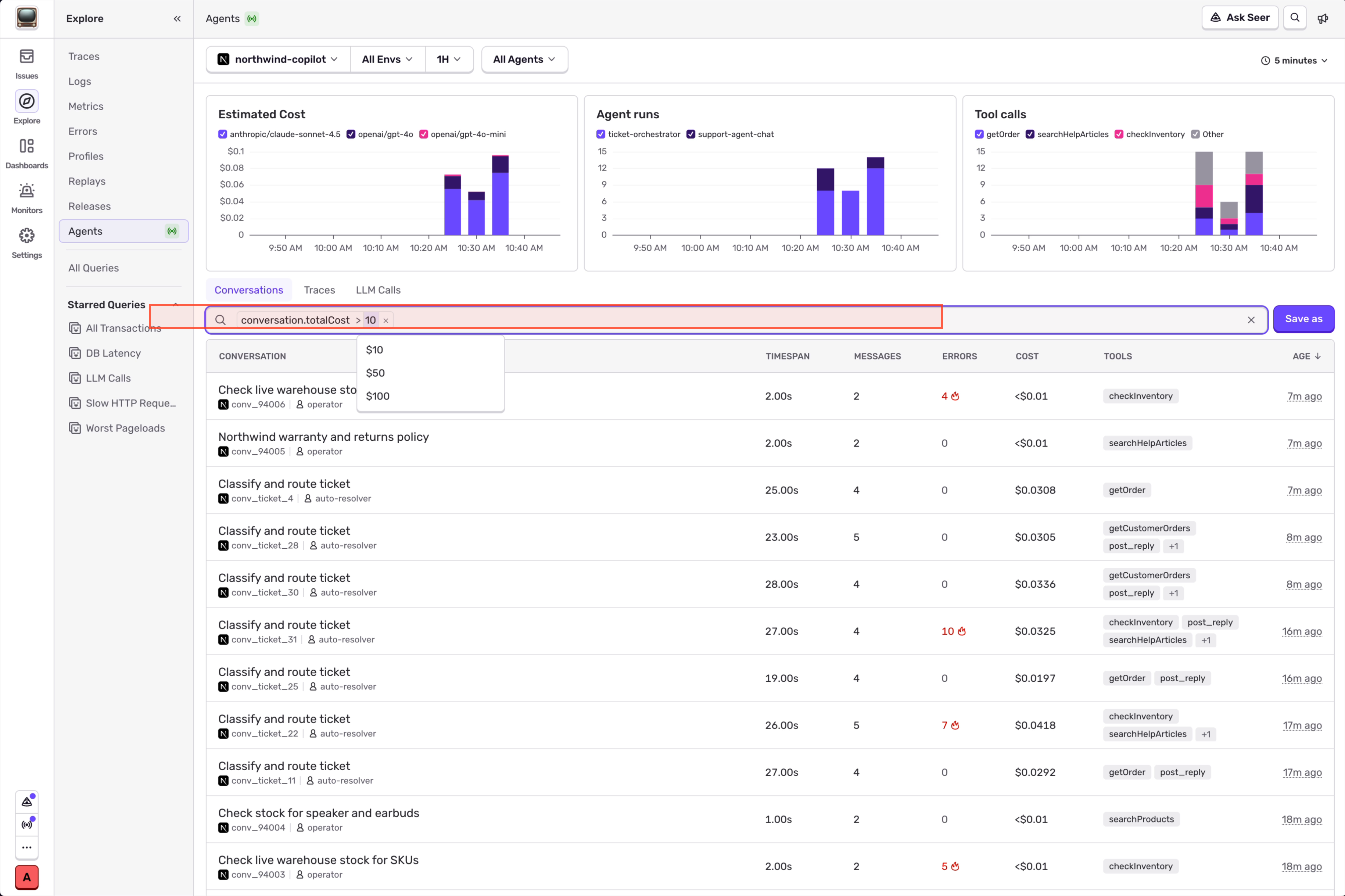
You can now filter and sort conversations in Explore > Agents on totals for the whole conversation, not only on individual spans. Want conversations that cost over $10? Conversations with more than 50 tool calls? Type the condition in the search bar and you’ll get them.
Conversations support these aggregate fields:
- conversation.totalCost
- conversation.totalTokens
- conversation.inputTokens
- conversation.outputTokens
- conversation.toolCalls
- conversation.errors
- conversation.messages
- conversation.duration
- conversation.generationDuration
- conversation.age
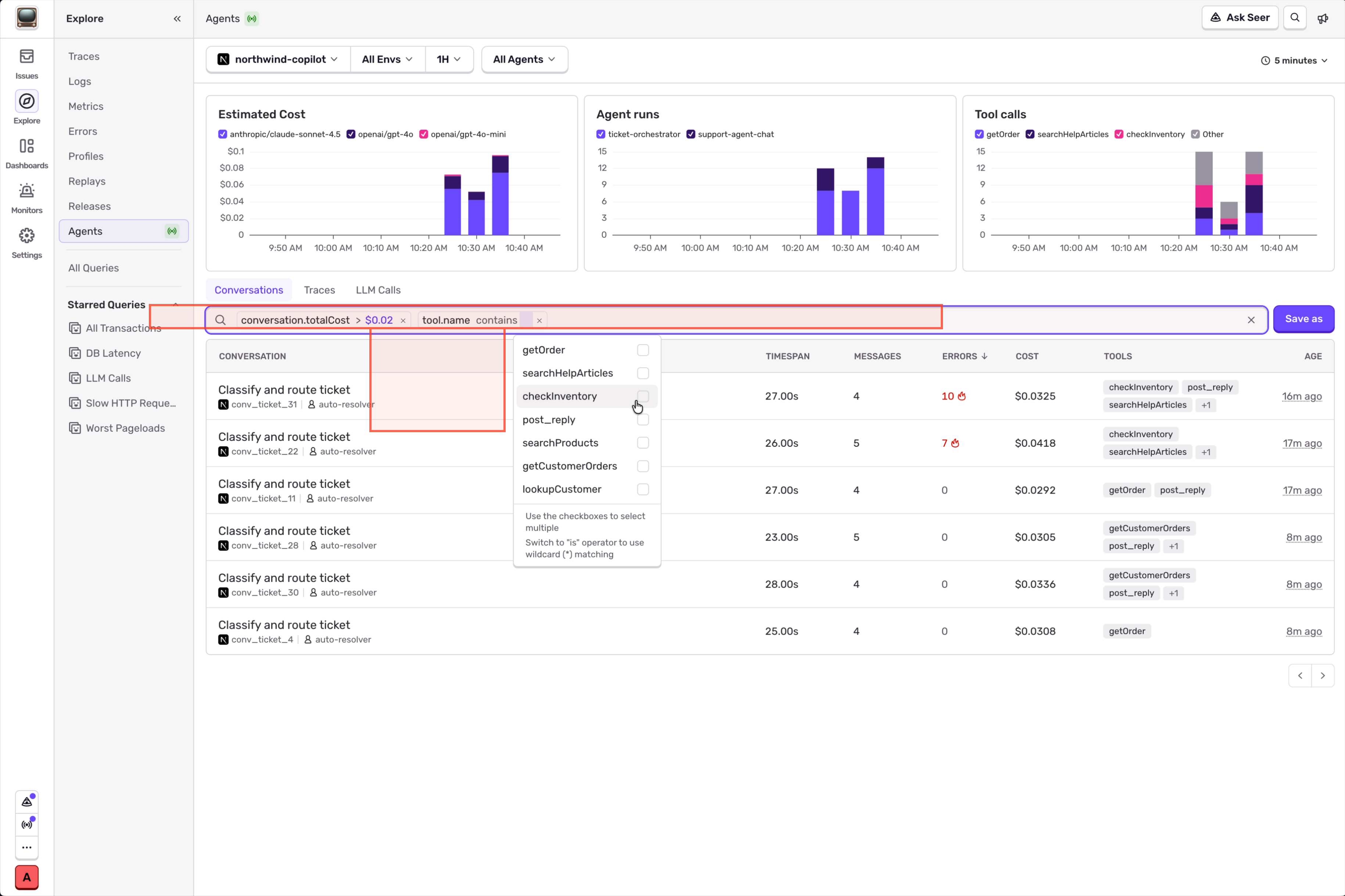
Column headers sort too, so you can order by cost or errors to see which conversations need attention first.
Some queries to try:
- Find conversations that cost over $10 and called the tool X (add your tool call here)
- See which conversations cost the most
- See which conversations have the most errors
- Find conversations that used more than 1M tokens
- Find conversations with a lot of tool calls
Conversation sorting and filtering is generally available now in Explore > Agents.
Get started by going to Explore > Agents or check out docs for supported frameworks and platform-specific setup.