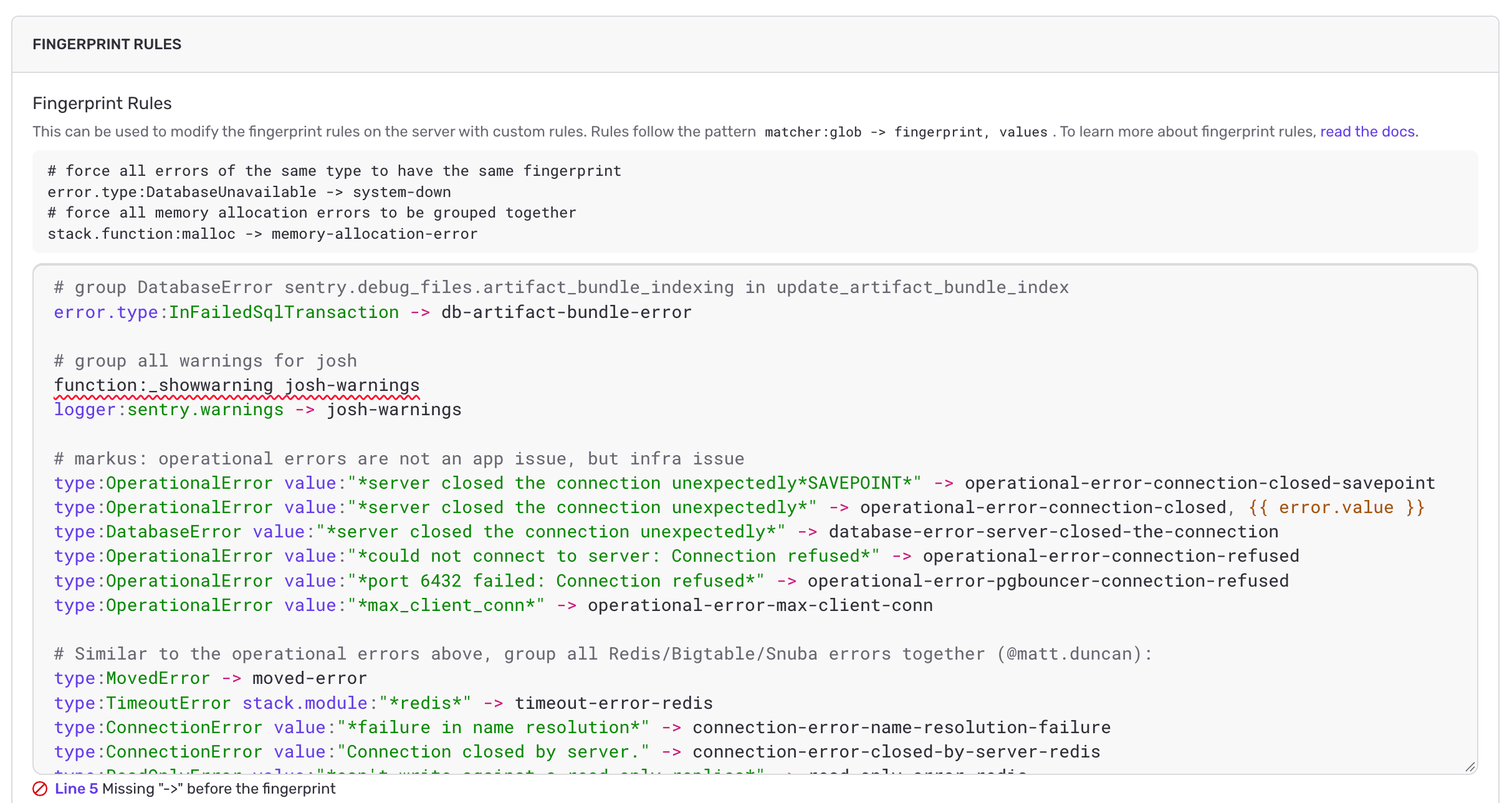
Fingerprint rules let you override how Sentry groups errors into issues. We shipped a few fixes that make rules easier to write and debug, whether you write them yourself or ask Seer Agent to.
The editor now flags problems as you type The fingerprint rules field in Project Settings > Issue Grouping now has syntax highlighting and inline feedback:
title= value or a trailing # comment that ends up in your fingerprint.Expand the summary under the field to see each problem, and click to jump to the specific line.
Syntax errors now point to the problem
Errors in a rule's matchers or arrow used to always point to column 1. Now they point to the exact spot and suggest a fix for common mistakes: a lookalike arrow (→ instead of ->), a missing ->, or a missing space before ->. The API returns the same errors (meaning scripts and AI agents that update rules get the same help).
Seer writes rules that save
Before, Seer Agent wrote → instead of -> and the save failed. Seer now knows the fingerprint rule syntax, including which matchers and variables exist. Ask it to set up custom grouping and you'll get valid rules, with no more → where -> belongs.
Cleaner grouping info
When a rule assigns more than one fingerprint value, the issue's grouping info now shows the values quoted and separated by commas. Before, they ran together (for example, {{ default }}soft-timelimit-exceeded). Only the display changed. Existing issues group exactly as they did before.
Fingerprint rules only apply to new events. Learn more in our docs.
 Github
 Slack
